Plug in the card. Get your photos back.
Connect the SD card or USB drive and let Data Recovery Pro get to work. It searches the whole card for the photos and videos you lost and brings them back at full quality, exactly as your camera saved them.
Just lost them? Stop using the card until you have scanned it. New photos can overwrite the ones you want back.
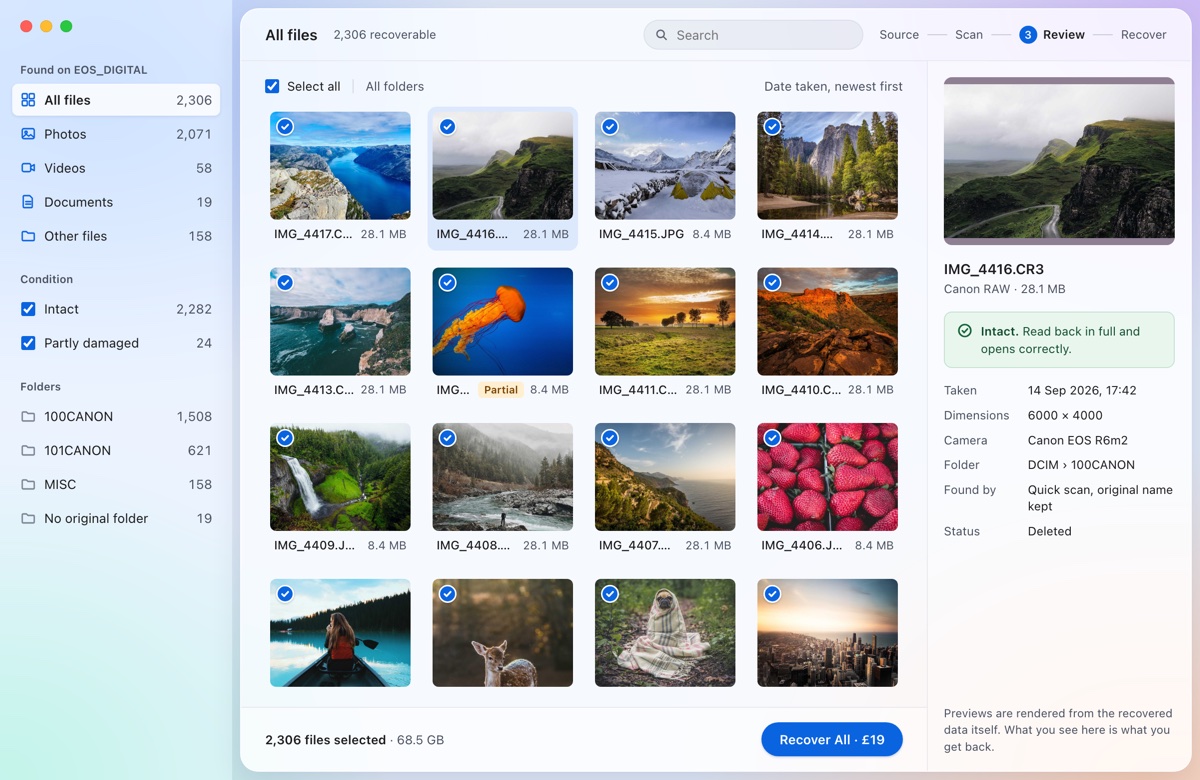
You start the scan. It does the rest.
Choose the card and press Start. Data Recovery Pro works through it on its own, and photos start appearing within moments, so you can look through them while it finishes.
- It reads what the card remembersDeleted photos still listed in the card's index come back with their original names, folders and dates.
- Then it reads every part of the cardPhotos and videos the index has forgotten, even after the card was formatted, are found by reading the card block by block.
- Then it opens every photoEach file is checked, so you know which ones came back whole before you recover anything.
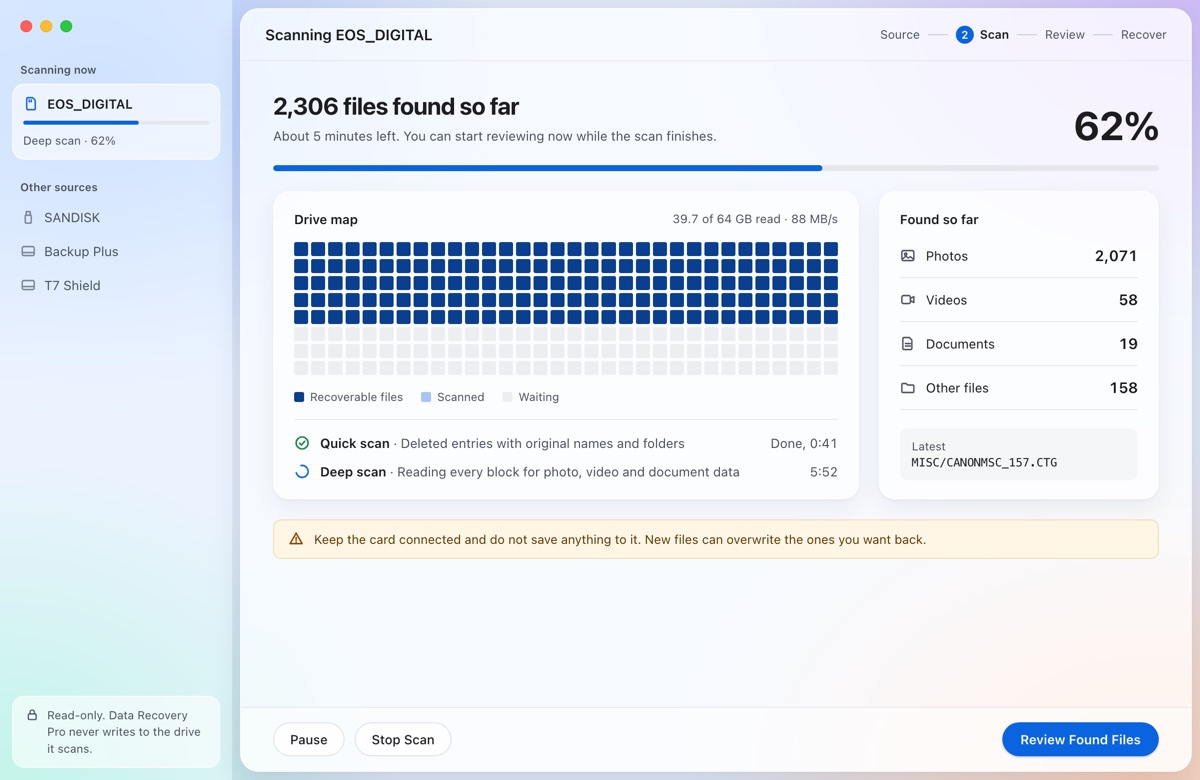
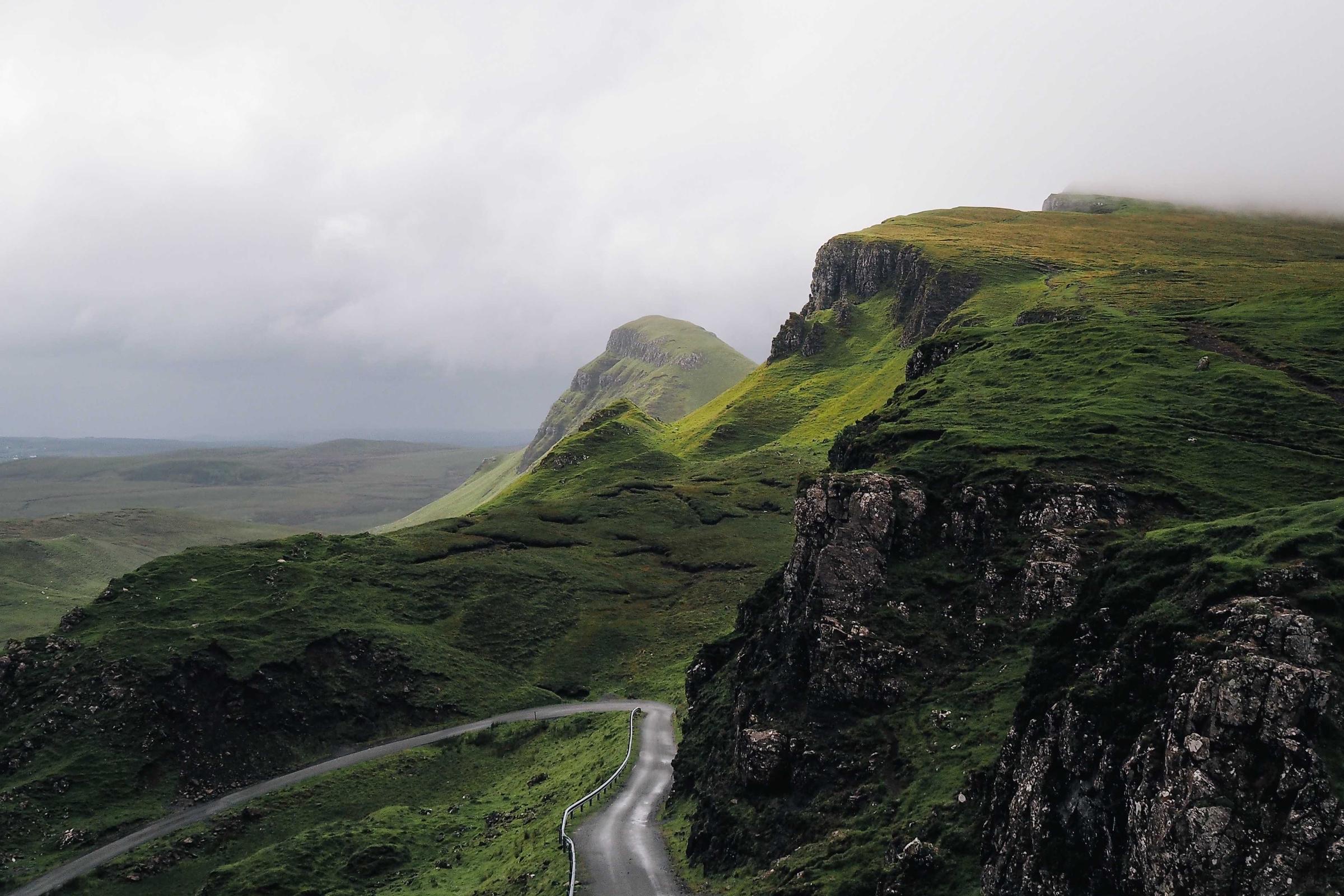
Back at full quality, not a copy of a copy.
Recovered files are the originals, taken straight from the card. Nothing is resized, converted or compressed on the way back.
- Full resolution. A 24-megapixel photo comes back at 24 megapixels.
- RAW stays RAW. CR3, NEF, ARW and DNG files come back as they were shot, ready for Lightroom or Capture One.
- Checked before you pay. Every photo is opened and labelled intact, partly damaged or not checked, so there are no surprises.
What it recovers
Built for the most common loss: photos and video gone from a camera card or USB drive.
| Cards and drives | SD, microSD and CF cards, and USB flash drives, formatted FAT16, FAT32 or exFAT. That covers almost every camera card. |
|---|---|
| Photos and video | JPEG, HEIC, PNG and camera RAW (Canon, Nikon, Sony, Fujifilm, Olympus, Panasonic and DNG), plus MP4 and MOV video. |
| After a format | JPEG, PNG, HEIC, Canon CR3, MP4 and MOV are found by reading the card itself, so they come back even when the card was formatted. Their names are not kept. |
| Not yet | Your Mac's own internal drive, and Windows or Linux computers. |
| Not a software job | Cards and drives that click, will not spin up or keep disconnecting are physically damaged. A data recovery lab is the right choice. |
Free to scan. £19 to recover.
Scan the card and look through every photo it found before you spend anything. When you are happy, one payment brings back everything on that card.
- Free
- Downloading, scanning and previewing, and the first 10 files or 100 MB.
- £19 per card
- Everything found on that card, with no size limit, plus free re-scans of it for 7 days.
- No subscription
- One payment through Paddle, VAT included. No account needed.
$19 · €19 · VAT included
- Free scan and preview
- First 10 files or 100 MB free
- Everything found on that card
- Re-scan it free for 7 days
Questions
- Can deleted photos on an SD card be recovered?
- Usually. Deleting a photo, or a quick format in the camera, only clears the card's index. The photo itself stays until new photos are written over it, which is why you should stop using the card.
- Will they be the same quality?
- Yes. Recovered files are the original files from the card, at full resolution. RAW files stay RAW. Nothing is re-compressed.
- My Mac says the card needs formatting. Should I?
- No. Click Ignore. The card's file system is damaged but the photos underneath usually are not, and Data Recovery Pro can find them without it.
- Is it safe to scan the card?
- Yes. It only reads the card and never writes to it, and recovered photos are saved to your Mac, never back to the card. macOS asks for your password once so it can read the card directly.
- Does it upload my photos?
- No. Everything happens on your Mac. The only network requests are the payment and collecting your receipt.
- What about videos?
- MP4 and MOV clips are recovered too. Long clips are often stored in pieces on the card, so some come back partly damaged; you will see which before you pay.
Let it get to work on your card.
Free to scan. macOS 13 or later, Apple silicon and Intel.