Get back the photos you deleted from your camera card.
Data Recovery Pro scans SD cards and USB drives without writing to them, shows you every file it can bring back, and charges £19 only if you want them.
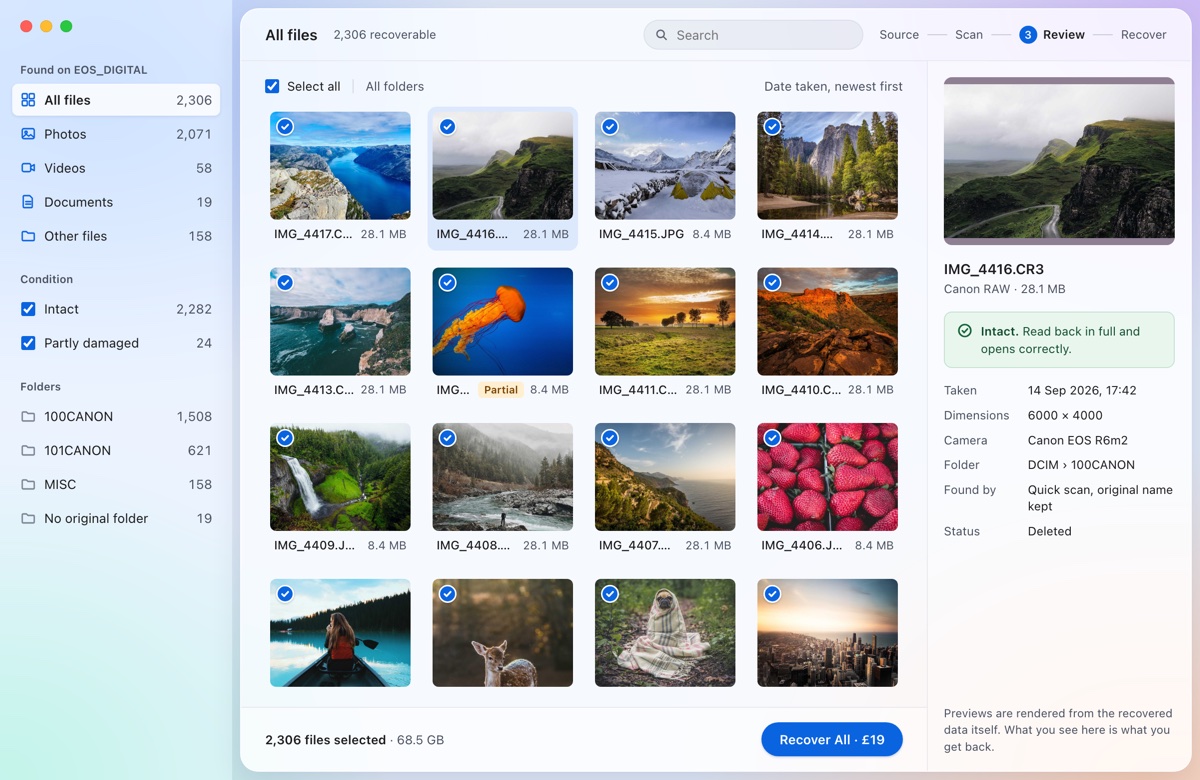
It never writes to your card
The part of the app that reads the card has no code for writing. Recovered files are saved to your Mac, never back to the source.
You see the files before you pay
Every file is listed with a preview and a plain label: intact, partly damaged, or not checked. The first 10 files or 100 MB are free.
One price per drive
£19 covers everything found on that card, plus free re-scans of it for 7 days. No subscription and no account.
How it works
Plug in the card, scan it, look through what was found, then choose what to recover. Most cards take minutes, not hours.
Step 1
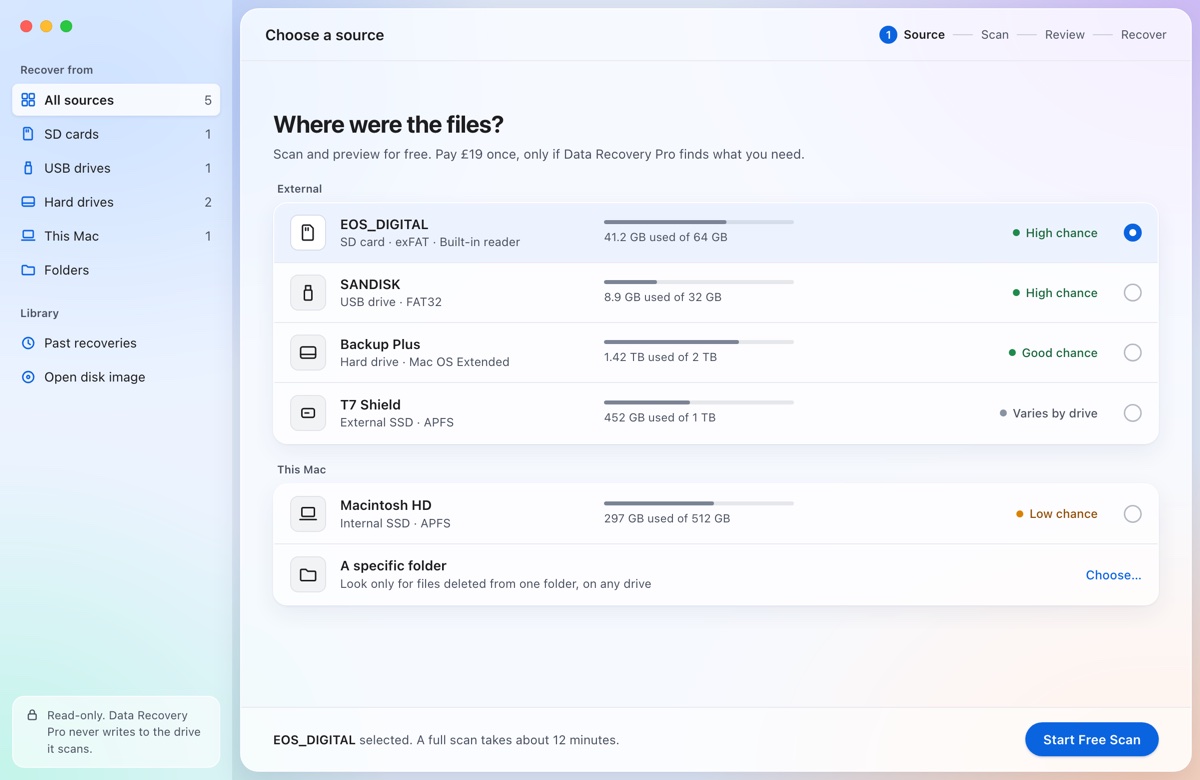
Choose the card or drive
Every connected card and USB drive is listed with its format and how much is on it, along with an honest rating of your chances before you start.
Step 2
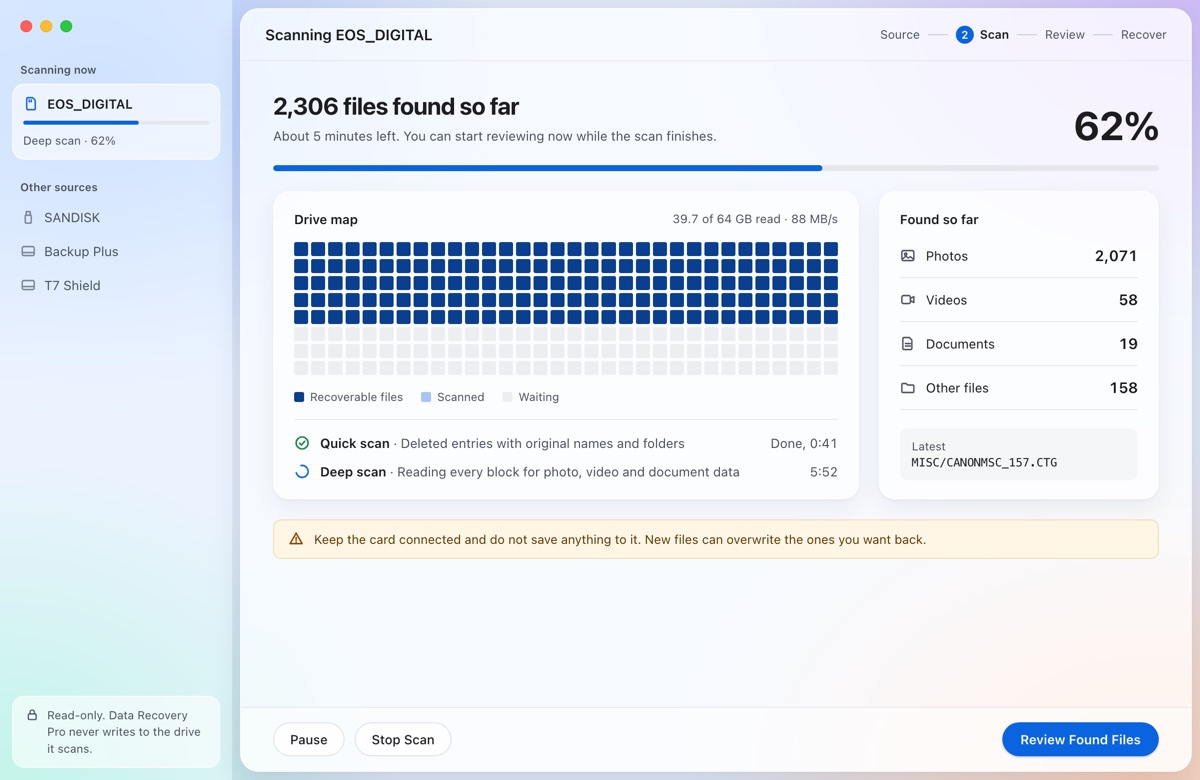
Scan it, read-only
Two passes run one after the other. Results appear as they are found, so you can start looking while the scan finishes.
- File table: brings back deleted entries with their original names, folders and dates.
- Deep scan: reads every block of the card to find photos and video the file table no longer lists, even after a format.
Step 3
Pay once, recover everything
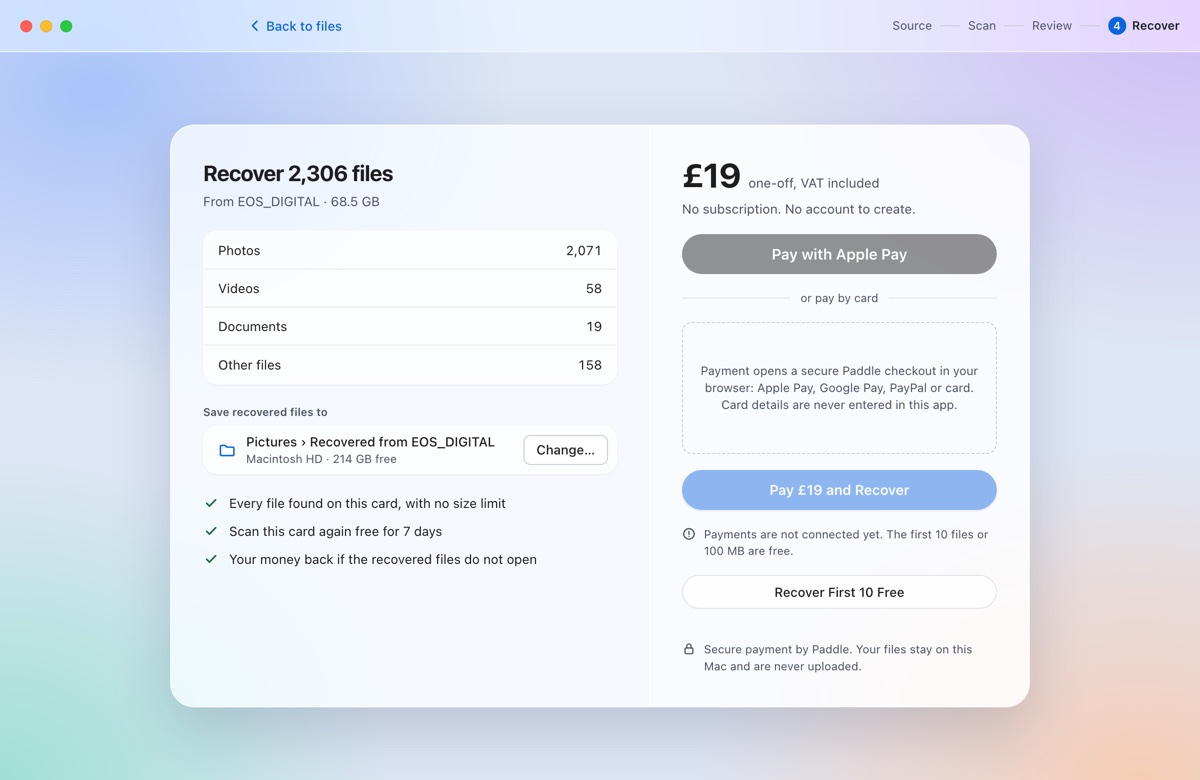
Choose where to save the files, then pay £19 through Paddle's secure checkout. Recovery starts straight away and keeps your original folders.
Files that came back partly damaged go into their own folder, so you know which ones to check.
What it recovers
Version 1 is built for the most common loss: photos and video deleted from a camera card or USB drive. Here is exactly what it does, and what it does not do yet.
| Cards and drives | SD, microSD and CF cards, and USB flash drives. Formatted FAT16, FAT32 or exFAT, which covers almost every camera card. |
|---|---|
| Names and folders kept | When the card's file table still lists the deleted files, they come back with their original names, folders and dates. |
| After a format | The deep scan finds JPEG, PNG, HEIC, Canon CR3, MP4, MOV, M4V and 3GP files by reading every block, whatever the card's format. Names are not kept. |
| Checked before you pay | JPEG, PNG, GIF, BMP, TIFF and WebP are decoded by the app. HEIC and camera RAW (CR3, CR2, NEF, ARW, DNG, RAF, ORF, RW2) are checked with macOS's own decoder. Video is structure-checked and marked as not checked. |
| Not in version 1 | The Mac's own internal drive. Names and folders on NTFS, APFS and Mac OS Extended drives (the deep scan still works on them). Windows and Linux. |
| Not a software job | Cards and drives that click, will not spin up, or keep disconnecting are physically damaged. Use a data recovery lab; repeated scans can make it worse. |
The first ten minutes decide what comes back
Deleted files stay on the card until something new is written over them. Until you have scanned it:
- Stop using the cardDo not take more photos or save anything to it.
- Do not format itIf your Mac or camera offers to initialise or format the card, click Ignore or Cancel.
- Check the easy placesThe Trash, Photos' Recently Deleted album and your backups.
- Install the app on your MacNever on the card you are recovering from.
- Save recovered files elsewhereTo your Mac or a second drive, never back to the same card.
Free to look. £19 to keep.
You only pay once you have seen your files and decided you want them back.
- One payment covers
- Every file found on one card or drive, with no size limit, plus free re-scans of it for 7 days.
- Free
- Downloading, scanning and previewing, and the first 10 files or 100 MB.
- Money back
- If the recovered files do not open, ask within 30 days for a refund.
- Payment
- By Paddle, our merchant of record, who handles VAT and sends your receipt. No account needed.
$19 · €19 · VAT included
- Free scan and preview
- First 10 files or 100 MB free
- Everything found on that drive
- Re-scan it free for 7 days
- No subscription, no account
Checkout by Paddle
Questions
- Can deleted photos on an SD card be recovered?
- Usually. Deleting a photo, or a quick format in the camera, only clears the card's index. The photo itself stays until new photos are written over it, which is why you should stop using the card.
- My Mac says the card needs formatting. Should I?
- No. Click Ignore. The card's file system is damaged but the files underneath usually are not, and the deep scan can find photos and video without it.
- Is it safe to scan the card?
- Yes. The app reads the card and never writes to it, and it refuses to save recovered files back onto the card. macOS asks for your password once so the reader can open the card directly.
- Does it upload my files?
- No. Scanning, previews and recovery all happen on your Mac. The only network requests are the payment and collecting your receipt.
- Will my RAW files come back?
- Yes, if the card's file table still lists them, with their names. After a format, the deep scan finds Canon CR3 files; other RAW formats need the file table.
- Can it repair a video that will not play?
- No. It recovers files as they are on the card. Long video clips are often stored in pieces, so some come back partly damaged; they are labelled before you pay.
- What about my Mac's own drive?
- Not in version 1. Modern Macs erase deleted data from their internal drive quickly. Check the Trash, Photos' Recently Deleted and Time Machine first.
- Is there a free alternative?
- PhotoRec is free and open source. It runs in Terminal and saves files with generated names. Our scan and preview are free, so you can try both.
Stop using the card. Scan it free.
macOS 13 or later. Signed and notarised by Apple.